

A core algorithm update reassesses rankings. Compare Search Console after the rollout, then fix only pages that fell hard.

core algorithm update guide
Google Core Update Explained: What Changed and What To Do (2026)

- Updated:
- 4 minute read
- 2 Comments
Google core update changes how Google ranks useful pages across the whole index—not a penalty aimed at one site. If your traffic moved after a core update, this guide explains what changed, how to diagnose impact in Search Console, and what to fix first for SEO teams in the US, UK, Canada, and Australia.
Updated from Search Console data (Nov 2026): Optimized for queries such as “google core update”, “google seo update”, and “google algorithm update”.
What a Google core update actually is
A Google core update is a broad improvement to ranking systems. Google has said these updates aim to show more helpful content and less content made primarily to rank. They are not the same as spam updates, link spam systems, or a manual action in Search Console.
When a core update rolls out, some sites gain impressions and clicks while others lose visibility—even if nothing was “penalized.” The right response is evidence-based: measure which URLs moved, compare content quality to competitors that gained, and improve pages that under-serve search intent.
Primary sources to bookmark: Google Search Central Blog for official rollout notes, and Google’s helpful content guidance.
Symptoms vs causes after a core update
| What you see | What it usually means | First check |
|---|---|---|
| Impressions down, clicks down | Lost ranking coverage on key queries | Search Console Performance by page + query |
| Impressions up, CTR down | Titles/snippets weaker or SERP features changed | Title/meta tests; AI Overview presence |
| One section tanked, rest stable | Topic quality or intent mismatch in that cluster | Compare winners/losers by category |
| Traffic drop but no indexing bugs | Quality/competition shift, not a crawl outage | Do not panic-rewrite the whole site |
How to check Google core update impact in Search Console
- Open Performance → compare 28 days before rollout vs 28 days after (use Google’s announced dates).
- Filter to the countries you care about (US, UK, CA, AU).
- Sort pages by largest absolute click or impression change.
- For each losing URL, open Queries and note position and CTR changes.
- Confirm Indexing → Pages is clean (no sudden spike in “Crawled – currently not indexed” or soft 404s).
- Repeat the same window in Bing Webmaster Tools so you do not overfit to Google-only noise.
Also use our Search Console reporting framework for teams so weekly reviews stay consistent.
What to do (and what not to do) after a core update
Do: improve pages that lost for clear reasons—thin answers, missing examples, weak E-E-A-T, cannibalization, outdated facts. Strengthen topical clusters and internal links. Update titles where CTR fell at stable positions.
Don’t: delete your whole site, buy PBNs, spin mass AI rewrites overnight, or change branding/CMS mid-volatility. Core updates reward durable usefulness, not frantic rewrites.
For content quality signals, follow Google E-E-A-T practical upgrades and keep author accountability visible.
Recovery checklist for SEO pages
- Answer the main query in the first paragraph (for this page: what a Google core update is).
- Add unique proof: process, screenshots, tables, localized examples.
- Fix cannibalization: one primary URL per intent.
- Refresh FAQs that match People Also Ask style questions.
- Improve internal links from related SEO guides in your SEO & Digital Marketing hub.
- Re-check Search Console 14 and 28 days after publishing improvements.
Content quality signals that matter more after core updates
Google’s quality systems look for experience, expertise, authoritativeness, and trust. On an SEO blog that means: named authors, primary citations, original frameworks, and honest claims. Pages that only rewrite other blogs without adding first-hand process tend to lose when core systems raise the bar.
If AI helped draft sections, keep humans accountable for facts. Thin “update announcement” posts without actionable diagnosis rarely rank for competitive terms like google core update.
Practical E-E-A-T upgrades after a Google algorithm update:
- Name the author and link to a bio that matches the topic.
- Cite Google’s own posts and primary documentation, not only secondary roundups.
- Show original process: how you audited Search Console, what you changed, what moved.
- Remove or noindex thin pages that dilute the site’s topical focus.
- Keep dates accurate and refresh when Google publishes a new core update notice.
Sites that treat every Google SEO update as a content-quality review—not a panic rewrite—usually recover more cleanly than sites that churn titles daily without measurement.
Technical checks that are still worth doing
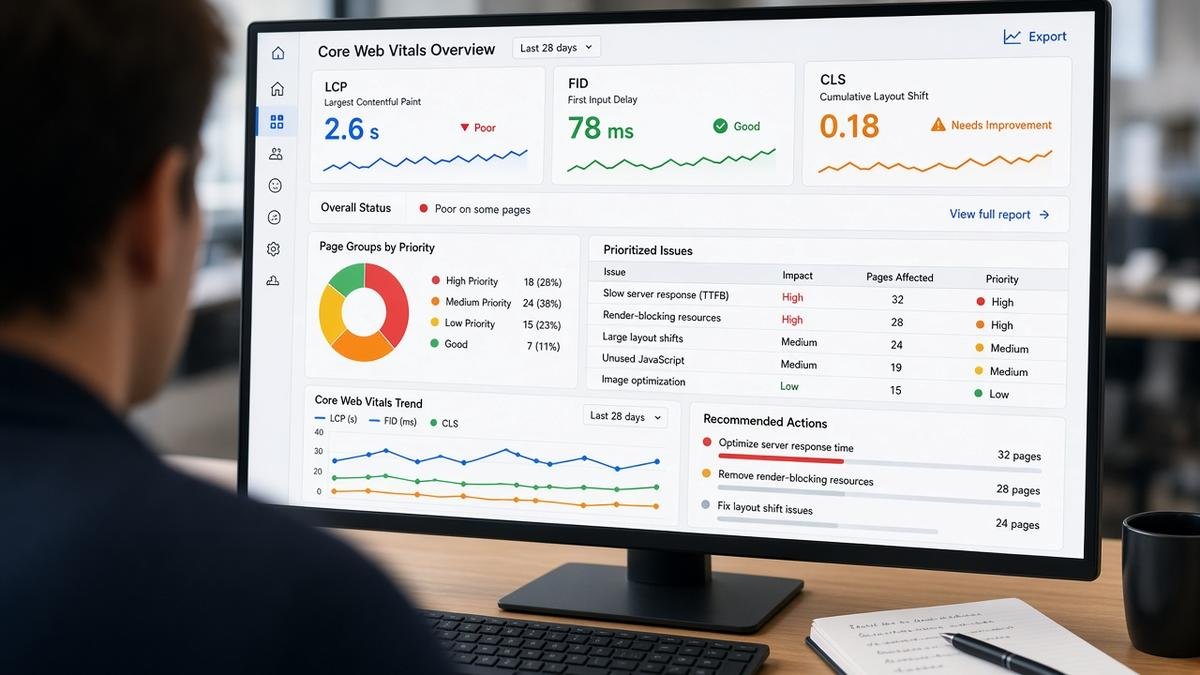
Core updates are not “technical SEO updates,” but technical problems amplify losses. Confirm HTTPS, Core Web Vitals, mobile usability, canonicals, and sitemap hygiene. If crawl stats collapse while rankings fall, fix infrastructure first—otherwise you are diagnosing the wrong problem.
See related technical guides in the Technical SEO hub.
14-day action plan after volatility
Days 1–2: Export Search Console pages/queries; list top 20 losers and top 10 winners.
Days 3–4: Manually review losers vs competing URLs that gained. Note missing sections, weaker titles, thinner examples.
Days 5–10: Refresh five high-impression URLs with better answers, FAQs, and internal links. Avoid changing URLs.
Days 11–14: Measure CTR and average position. Keep what worked; document the playbook for the next Google SEO update cycle.
FAQs
Is a Google core update a penalty?
No. A core update is a broad ranking systems change. A manual action or spam issue is different and appears separately in Search Console.
How long should I wait before rewriting everything?
Wait for the rollout to finish, then use a 14–28 day comparison window. Improve the weakest high-impression pages first instead of rewriting the entire site.
Why did my impressions rise but clicks fall?
You may rank for broader queries, face stronger SERP features, or have weak titles. Test titles and meta descriptions before assuming content quality alone is the issue.
Will another Google SEO update reverse my losses automatically?
Sometimes rankings rebound after later systems improve, but you should not rely on that. Durable recovery comes from better pages and clearer intent match.
What is the fastest useful check?
In Search Console, compare the update window, sort by page click change, and open the top losing URL’s queries. That single view usually shows whether you have a ranking, CTR, or coverage problem.


2 Comments